Operations
Part of Short form video marketing operations for UK teams
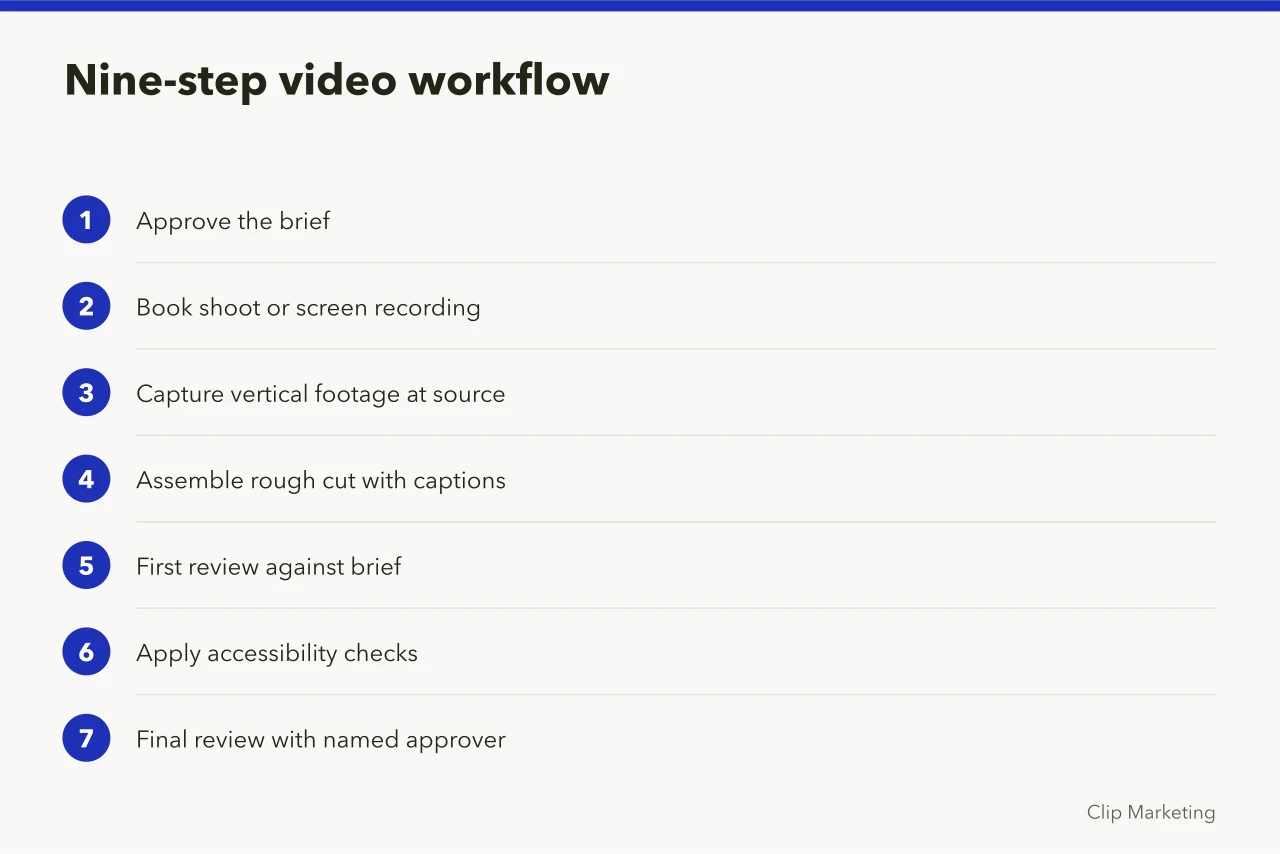
Nine steps to a short form video operating workflow
A practical nine-step short form video operating workflow for English marketing teams, covering briefs, review gates, ownership, platform specs and measurement.
What to take away
- Most teams fail because they write briefs that describe the edit rather than the audience, then treat review as a formality.
- A short form video operating workflow needs named owners at three points: brief approval, final review and publishing.
- Two working days is a realistic review window for a 30-second vertical video; same-day sign-off usually hides problems.
- Keep a single source of truth for specs, captions and approval history so a second editor can pick up the job.
- Measure the workflow itself, not just the videos, or you will keep rebuilding the same bottlenecks.
Name the owners first
A workflow without owners is a wish list. Before any footage is shot, decide who owns the brief, who owns the edit and who owns the publish button. In a small team one person can hold two of those, but never all three on a regulated claim.
The short form video team roles: data and sources guide sets out the skill mix and evidence base you need before hiring into these seats. Read it before you assign work to people who have not been recruited yet.
Write a one-page brief
Every video gets a brief of no more than one page. It states the audience, the single idea, the call to action, the platform, the aspect ratio and the deadline. If the idea needs two sentences, it is two videos.
One-page brief contents
- Audience
- Single idea
- Call to action
- Platform
- Aspect ratio
- Deadline
- Dated evidence for claims
The brief also records the evidence behind any factual claim. A figure without a dated source does not go on screen. For example, a team quoting a pay benchmark should be able to point to the release it came from.
Nine steps to run the workflow
- Approve the brief. The owner checks audience, idea and claim evidence.
- Book the shoot or screen recording, with the aspect ratio confirmed.
- Capture vertical footage at source rather than cropping a wide frame later.
- Assemble a rough cut with captions burned in for review.
- Run the first review against the brief, not against taste.
- Apply accessibility checks on contrast, caption accuracy and audio description needs.
- Run the final review with the named approver and record the decision.
- Publish to the scheduled slot and log the live URL.
- Review performance after seven days and note one change for the next cycle.
Step six is where many English teams lose time. The BSI standards catalogue lists published standards covering accessibility and digital content, which gives you a defensible reference point when a reviewer asks why a caption size or colour contrast rule exists.
Set the review gate
A review gate is a decision, not a conversation. The approver answers three questions: does it match the brief, is every claim sourced, and is it safe to publish under the platform's rules. Anything else goes to a backlog.
Build in two working days for a 30-second video. That is an illustrative planning figure, not a measured average. Same-day sign-off sounds efficient until a wrong figure reaches a client-facing account.
Plan capacity against real data
Workflow design is capacity design. If your publishing plan assumes more output than the team can review, the gate becomes theatre.
The employment figures published by the Office for National Statistics give you a dated view of the UK labour market when you are arguing for headcount or contractor budget. Use the release date in your paper so the number cannot be dismissed as stale.
For paid distribution, the LinkedIn advertising setup guide covers campaign creation and video ad formats, which helps you confirm specs before the edit is locked rather than after.
Keep one asset register
The register is a simple table: video ID, owner, platform, publish date, live URL, approval date and source list. It takes minutes to maintain and saves hours when someone asks who approved a claim.
The short form video operations and delivery guide for 2027 explains how this register feeds forecasting, budgeting and supplier decisions across a full year.
Common questions
How long should a review take?
Two working days for a 30-second vertical video is a workable planning assumption. Longer formats and regulated claims need more, and the approver should say so at brief stage.
Who owns the final decision?
One named person, recorded in the brief. If two people can veto, you have two workflows and no deadline.
What goes in the asset register?
Owner, platform, publish date, live URL, approval date and the source list behind any on-screen claim. Keep it in one place the whole team can read.
When do we measure the workflow?
After every tenth video. Count re-edits, late approvals and missed slots. One recurring cause is usually visible by then.