Strategy
Part of Short form video marketing: product demos for UK ecommerce
Short form video marketing: product demos for UK ecommerce
A practical guide to short form video marketing for UK ecommerce shops, covering demo structure, placements, filming, advertising rules and budget.
What to take away
- A short-form video product demo for a UK shop shows the item doing the job a buyer would do with it, and it earns attention in the first three seconds.
- Vertical framing flatters close-up work such as hands, fastenings and screens, where a wide frame leaves dead space on either side.
- On-screen claims sit inside the CAP Code, so a demo needs the same substantiation as any paid ad.
- Three demos reused across product pages and paid social usually outperform ten one-off posts.
Why demos are the gap
A product demonstration is a retail convention older than video. The job is to show how an item behaves in ordinary use, at the moment the buyer is deciding.
Most UK short-form output is brand-led: a founder talking to camera, a trend, a behind-the-scenes clip. That work builds familiarity. It does not answer the question a shopper asks when the basket is nearly full, which is whether the item works and how it feels in the hand. Demos sit closer to the point of purchase.
A four-step demo structure
Write the beats before you shoot. The short-form video scripts guide covers structure, and a demo is short enough to plan in four lines.
Four-step demo structure
- Open on product already in use
- Show the friction cheaper alternatives have
- Give one piece of proof
- Close on one action
- Open on the product already in use. The first frame shows the outcome the buyer wants, not a logo or a title card.
- Show the friction. Demonstrate the problem or need, then show how your item handles it.
- Give one piece of proofa measurement, a materials detail, a close-up of the fitting or a stated delivery window.
- Close on one action. Point to the product page, a saved basket or the shop, and say the price if it is competitive.
Where each placement fits
Placement decides length and editing more than taste does.
Placement editing implications
Vertical product page
- Demo job
- Stand alone sound off
- Editing
- Burn in captions
TikTok Shop listing
- Demo job
- Carry purchase in app
- Editing
- Link product, tight close-up
Paid social ads
- Demo job
- Stop scroll in one second
- Editing
- Hard cut first frame
Email or SMS
- Demo job
- Reward a click
- Editing
- Longer cut, more detail
How to adapt the edit
- Product page:Show the detail a shopper needs to judge, such as fit, size or finish. Use the video to answer that question and link the action on screen to the product being viewed.
- Paid social:Make vertical versions for TikTok, Instagram Reels, Facebook Reels, YouTube Shorts and Pinterest video placements. Keep the product action clear, and tailor the opening and call to action to each placement.
- Abandoned-basket email:Use a still or thumbnail linked to the product page rather than assuming video will play inline in every email client.
- TikTok Shop listing:Show the product in use and make the route from the demo to the listing clear.
Use the existing 15–30 second guidance as a starting point for each placement, then trim any parts that do not help show the product. CapCut and Canva can be used to make cutdowns and add burned-in captions; check captions manually and keep a clean master to adapt.
The rules that catch UK shops out
A product demo is advertising. The CAP Code is administered by the Advertising Standards Authority (ASA). Rule 2.1 says marketing communications must be obviously identifiable as such, so make a creator's commercial relationship clear upfront where the post is not self-evidently an ad. Rule 3.1 says ads must not mislead, and rule 3.7 requires documentary evidence before publication for objective claims. Keep evidence for performance, durability and comparison claims; under rule 3.9, qualifications must be clear and must not contradict the main claim. The Digital Markets, Competition and Consumers Act 2024 also prohibits unfair commercial practices, so present on-screen prices and comparisons accurately and do not omit information that would mislead shoppers.
Customer footage is a different trap. If a demo features a named buyer, or a clip sent in by a customer, you are processing personal data. Decide and document a lawful basis under UK GDPR, provide privacy information explaining how the footage will be used, and do not keep it longer than needed. The ICO's UK GDPR guidance covers lawful bases, privacy information and retention; separately, get clear permission to use the footage and keep a written record.
Filming demos that hold up at small sizes
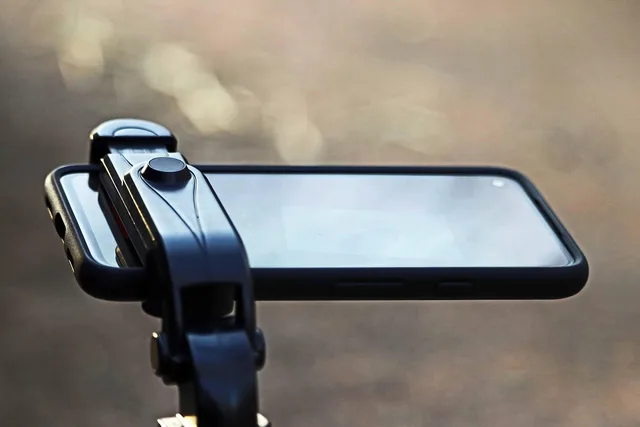
Vertical framing forces discipline. A phone at arm's length fills the frame with the product. A phone across the room fills it with carpet. Shoot close, brace the phone, and keep hands and product inside the safe middle so captions do not cover them.
If you are filming on a phone, the settings matter more than the kit list. Shooting vertical video on an iPhone covers frame rates, focus locking and lighting for small shops.
Making one demo work in four places
One demo should work in four places: the product page, the paid social rotation, the abandoned-basket email, and the TikTok Shop listing. Cut the same footage to different lengths rather than filming four times.
Vertical video product pages are the easiest win, because the shopper is already on the page and the video only has to remove doubt about fit, size or finish.
Setting a demo budget
Set the budget from the number of demos you can reuse, not from the shoot day. Plan a half day to produce three demos that can be cut for product pages and paid social. Ask for a price per finished demo, and agree the revision limit in writing before the shoot.
Illustrative figures for a small shop:
- Half-day shoot, three demos
- £400 to £600.
- Editing and burned-in captions, per demo
- £50 to £100.
- Paid social test across three demos for a fortnight
- £200 and upwards.
- In-house kit
- tripod, clip-on mic and light, £80 to £150 once.
Common questions
How long should a product demo be?
Fifteen to thirty seconds covers most items. Give longer treatments to anything that needs a measurement or a fitting, and keep the first second free of logos.
Can I use customer footage in a demo?
Yes, with permission and a written record of it. If the customer is identifiable, treat the clip as personal data and say plainly where it will be used and for how long.
Do I need a studio to film demos?
No. A phone, a steady surface and daylight through a window will do for most products. Studios help with glass, jewellery and anything that reflects the light.